Shop slower
See the
bigger picture.
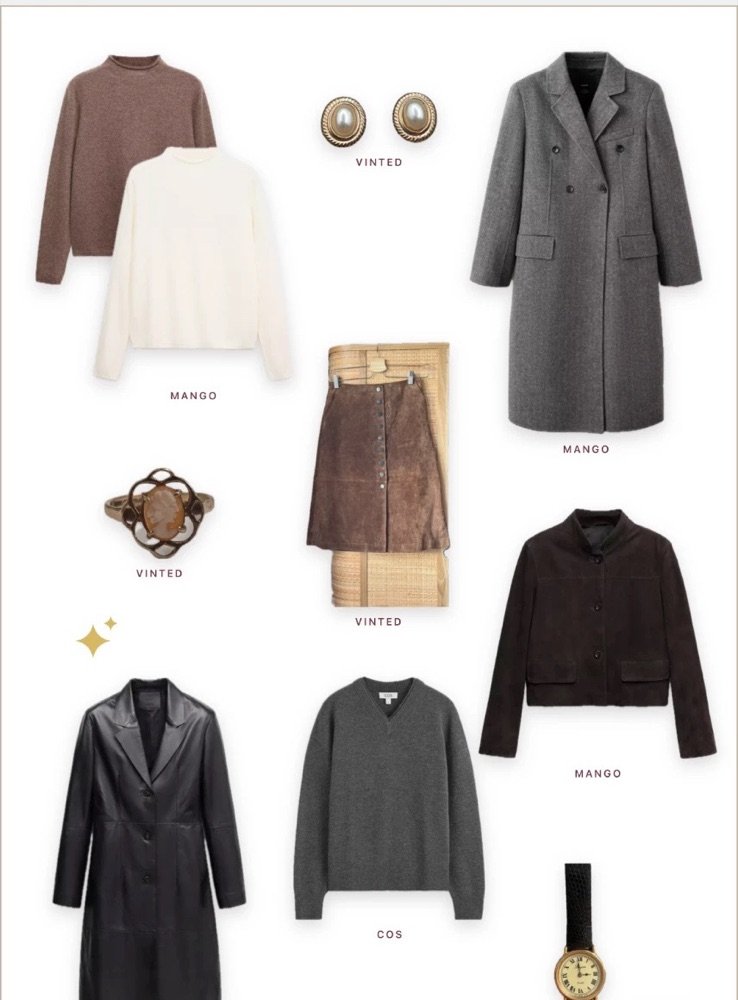
Gather the pieces you’re considering onto one page and live with them for a while. Seen together, it becomes clear what you truly love, so you buy less and choose well.
Coming soon to the App Store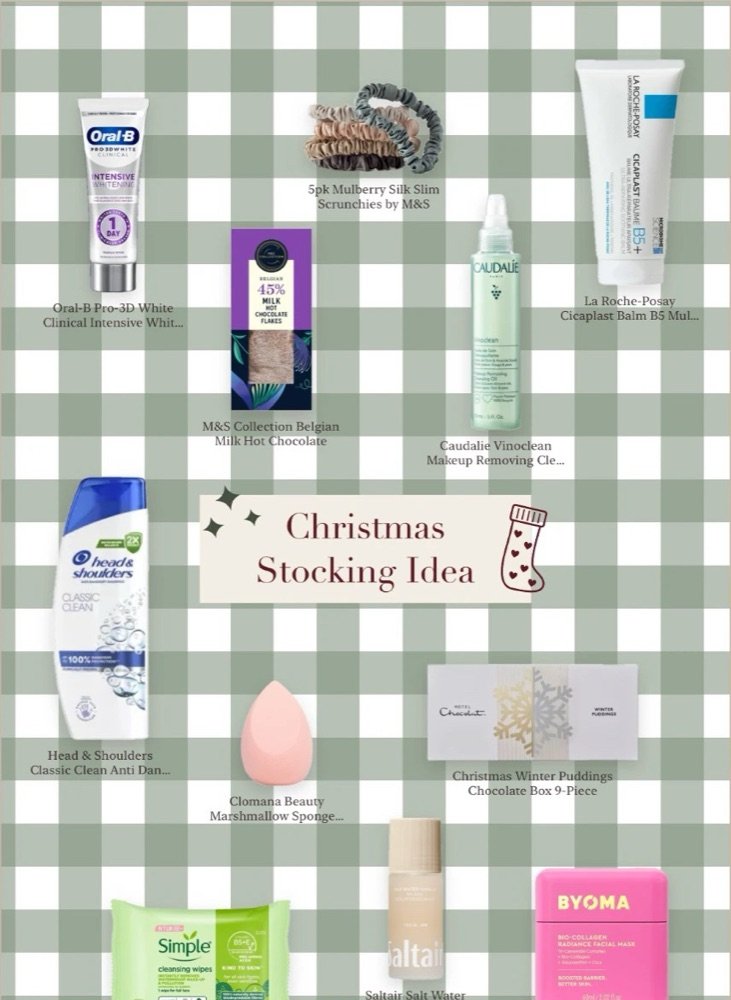
One
Paste a link from any shop
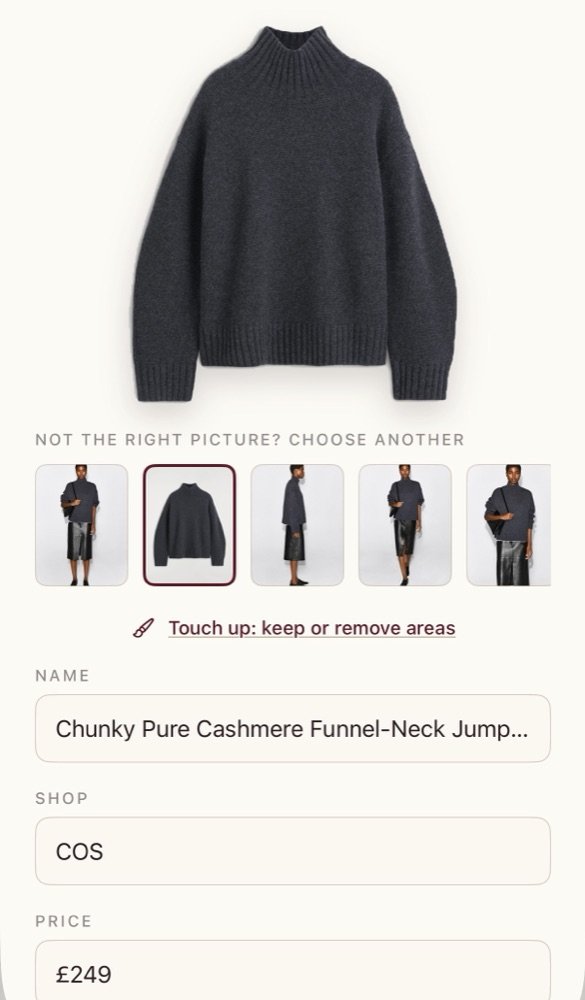
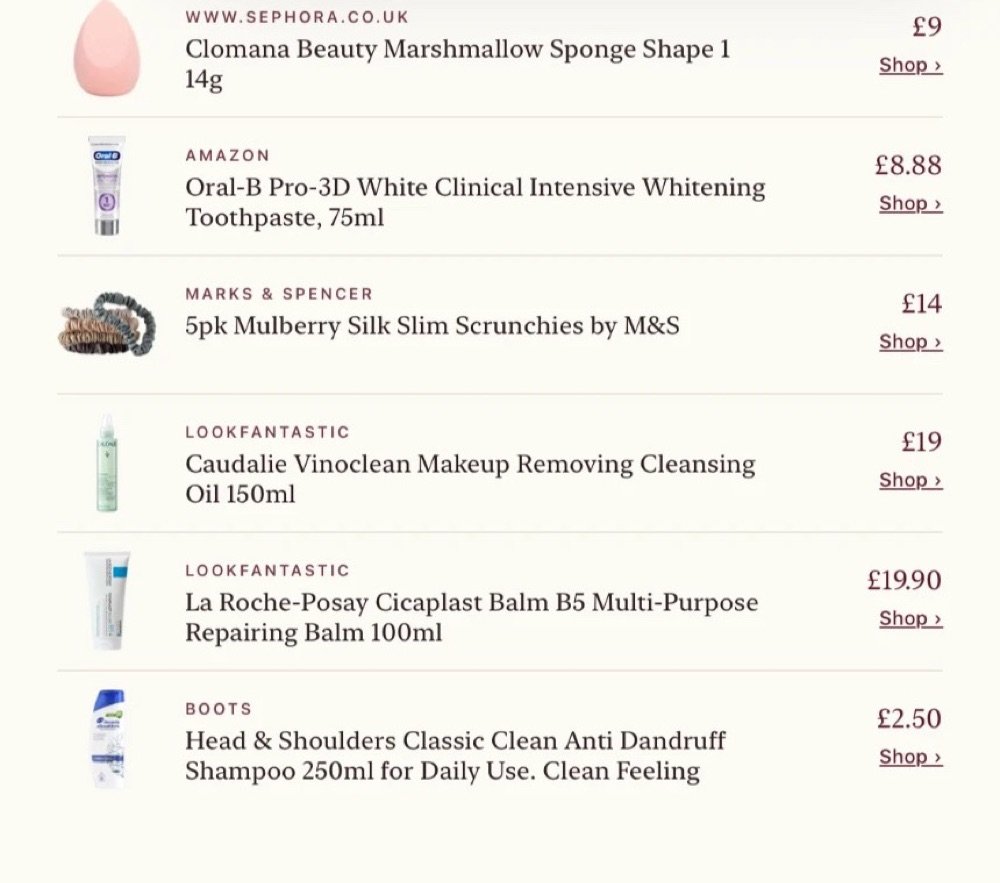
inlay brings in the picture, name and price, and lifts the product cleanly off its background. Second-hand listings from Vinted, eBay and Depop are built in, and photos from your camera roll work too.
Two
Arrange it your way
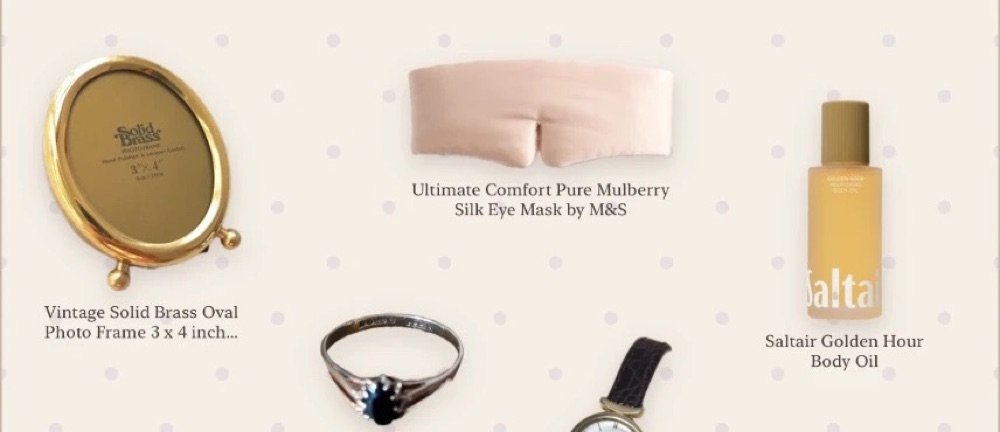
Move, resize and layer each piece on a page of your own. Choose a background, and finish with pins, charms and words.
Three
Share it, shop it
Publish to your profile, send it as a picture, or share a clickable list where every item opens its shop. Prices and stock stay up to date by themselves.
inlay
Pro
Everything in inlay is free to use. Pro is for making your edits entirely your own.
- Every background. Gingham, polka dots, dotted paper, grid and the tailor’s board, with both colours changeable.
- Any colour you like. A palette of inlay shades from dark to light, plus a colour wheel for everything else.
- The full sticker collection. Pins, clips, tape, buttons, charms, hearts, sparkles, zodiac signs, speech bubbles and Christmas doodles, each in any colour.
- Stickers from your own photos. Turn a pressed flower, a ticket or a pet into a sticker.
- Text your way. Every font and every colour for words on your edits (free members have Classic in burgundy or black).
- Styled titles on shared pictures. Move, resize and choose the font for your edit’s title when you share it.
- Share without the inlay mark. Remove “made with inlay.info” from the pictures you share.
£1.99 a month or £15.99 a year, with a 3-day free trial.
Cancel any time in your iPhone’s Settings.
Our thinking
Buy less, choose well
Most shopping is designed to be fast: one tap, next-day delivery, a timer counting down. inlay is designed to slow the decision down.
A pause between wanting and buying
When something catches your eye, you add it to an edit instead of a basket. It waits there. A day or a week later, you look again with fresh eyes, and the things you still love stand out from the things you only wanted for a moment.
Seeing it all together
An edit shows pieces side by side, the way they’d live together in your wardrobe or your home. It becomes obvious when three things do the same job, or when one piece would go with everything you already own. Choosing one good thing over three almost-right ones is the most sustainable decision there is.
Second-hand first
inlay has built-in support for Vinted, eBay and Depop listings. Paste a link and the piece lands on your edit with its photos and price, right next to anything new, and inlay keeps checking it, marking it sold out the moment it sells. We encourage shopping from platforms that focus on second-hand: buying pre-loved is one of the simplest, most sustainable routes into something you love, and often the thing you were looking for already exists.
Gifts people actually want
Share a wishlist edit and the people buying for you know exactly what you’d love, with sizes and notes. Fewer unwanted presents, fewer returns.
No pressure
inlay doesn’t show you adverts, flash sales or countdown timers. Paid partnerships between shops and the people who make edits are always clearly labelled AD. Buying is never the point of inlay; it’s simply there for when you’re sure.
Help
Support
We’re happy to help. Email hello@inlay.info and we’ll reply as soon as we can.
How do I add a product?
Open an edit and tap +. Paste a link from any shop, or upload a photo. inlay finds the product picture, name, shop and price, and lifts the product off its background.
The background wasn’t removed properly
Choose a different photo from the row of choices, or tap Touch up: brush over anything that should go, or use Frame item to draw a box around just the product.
Why has a price changed, or why does it say sold out?
inlay checks each product’s shop page now and then and updates the price and stock to match. Some shops don’t share this, so a price may occasionally be out of date. Always check the shop before buying.
Who can see my edits?
New edits are private. When you make an edit public and publish it, anyone on inlay can see it. Your notes on products are always private to you.
How do I cancel inlay Pro?
Subscriptions are handled by Apple. On your iPhone, open Settings, tap your name, then Subscriptions, choose inlay and cancel. Cancel at least a day before your trial or billing period ends. Refunds are handled by Apple at reportaproblem.apple.com.
How do I report or block someone?
Open their profile or edit and tap … at the top, or press and hold a comment. Reports are private and are never shown to the person you report.
How do I delete my account?
In inlay, go to My profile, tap the settings cog, then Delete account. This permanently deletes your profile, edits, photos, likes and comments. If you have Pro, cancel it with Apple as well, because deleting your account doesn’t stop Apple billing you.
Privacy policy
Last updated 16 October 2026
inlay is an app for making edits of products you love. This policy explains what information inlay uses, why, and the choices you have. inlay is run by Nathalie Davies, based in the United Kingdom, who is responsible for your information (the “data controller”). Contact: hello@inlay.info.
What we collect
Your account: your email address and password (the password is stored encrypted; we can never see it), and your name, username, bio and profile picture if you add them.
What you make and do: your edits (titles, descriptions, tags, backgrounds, stickers, layout); products you add (name, shop, price, link and picture, including stickers made from your photos); private notes on products, only ever visible to you; who you follow and block, your likes, comments and any reports you send.
Purchases: inlay Pro is bought through Apple. Apple handles your payment; we never receive your card details. We only learn whether your subscription is active.
What we don’t collect: we don’t use advertising trackers, we don’t track you across other apps or websites, we don’t send marketing emails, and we don’t sell your information.
How inlay works on your phone
inlay only sees photos you choose, and removing backgrounds happens on your iPhone. To read a product’s picture, name and price, and to keep prices and stock up to date, inlay opens the shop’s page from your iPhone, as a web browser would.
Why we use it
To run your account and show your edits, profile, likes and comments (to provide the service you asked for); to keep inlay safe, including reviewing reports (our legitimate interest in a safe community); and to provide Pro features you’ve paid for (to fulfil our agreement with you).
Who can see what
Your name, username, bio and profile picture are visible to everyone on inlay. Public, published edits are visible to everyone on inlay; private edits only to you, and to friends you invite to collaborate. Your notes, blocks and reports are visible only to you (and reports to us).
Where it’s stored
inlay stores your information with Supabase, our database and storage provider, which processes it on our behalf under a data processing agreement. Where information is processed outside the UK, it is protected by approved safeguards such as standard contractual clauses.
How long we keep it
We keep your information while you have an account. When you delete your account, your profile, edits, photos, likes, comments, follows and notes are deleted. Backups are cleared on a rolling basis within 30 days.
Your rights
You can access, correct, download or delete your information, and object to or restrict how we use it. You can edit your profile and delete your account in the app at any time. For anything else, email hello@inlay.info. You can also complain to the Information Commissioner’s Office at ico.org.uk.
Children
inlay is for people aged 13 and over. If you believe a child under 13 has an account, please contact us and we’ll delete it.
Changes
If we make important changes to this policy, we’ll tell you in the app before they take effect.
Terms of use
Last updated 16 October 2026
These terms are an agreement between you and Nathalie Davies, who runs inlay (“we”). By using inlay you agree to them. Please also read the privacy policy above.
Your account
You must be 13 or older to use inlay. Keep your login details safe; you’re responsible for what happens on your account. You can delete your account at any time in the app.
Your content
You own the edits, photos, descriptions and comments you add. So that inlay can show them, you give us a non-exclusive, worldwide, royalty-free licence to store, display and share them within inlay, and to show them when you share them elsewhere. This licence ends when you delete the content or your account, except where others have already shared it. Only add content you have the right to use. Product pictures come from shops’ own pages to show and link to those products; if you’re a rights holder and want something removed, contact us.
Paid promotion
If you’re paid or gifted to feature a product, mark your edit as containing paid promotion and choose which items are paid, so they show an AD label.
Community rules
Don’t use inlay to post anything illegal, hateful, harassing, sexually explicit, violent or misleading; to impersonate anyone; to spam; or to infringe anyone’s rights. You can report content and block people in the app. We may remove content or suspend accounts that break these rules.
Shops and prices
inlay isn’t a shop and doesn’t sell products. Product names, prices and stock come from shops’ websites and may be out of date or wrong. Always check the shop’s own website before buying. Purchases are between you and the shop.
inlay Pro
inlay Pro costs £1.99 a month or £15.99 a year (or the equivalent shown in your country), with a 3-day free trial for new subscribers. Payment is taken by Apple when the trial ends, and the subscription renews automatically unless you cancel at least 24 hours before the end of the period. Manage or cancel it in your iPhone’s Settings → your name → Subscriptions. Refunds are handled by Apple. Your use of purchases is also covered by Apple’s Licensed Application End User Licence Agreement.
Changes and availability
We’re always improving inlay and may change or stop features. If we make important changes to these terms, we’ll tell you in the app first.
Liability
inlay is provided as it is. Nothing in these terms limits liability that can’t be limited by law, including for death or personal injury caused by negligence, or fraud. Otherwise, we’re not responsible for losses that weren’t foreseeable, for products bought from shops, or for content posted by other people. Your statutory consumer rights are not affected.
Law
These terms are governed by the law of England and Wales. If you live elsewhere in the UK, you may also bring proceedings in your local courts.